Typo for macOS
Typst, at home
on the Mac.
A native Typst editor written in Swift and SwiftUI, running the real Typst compiler. Lightweight and native, no Electron: a 40 MB download for papers, theses and slides, in an app that feels like it shipped with your Mac.
The editor
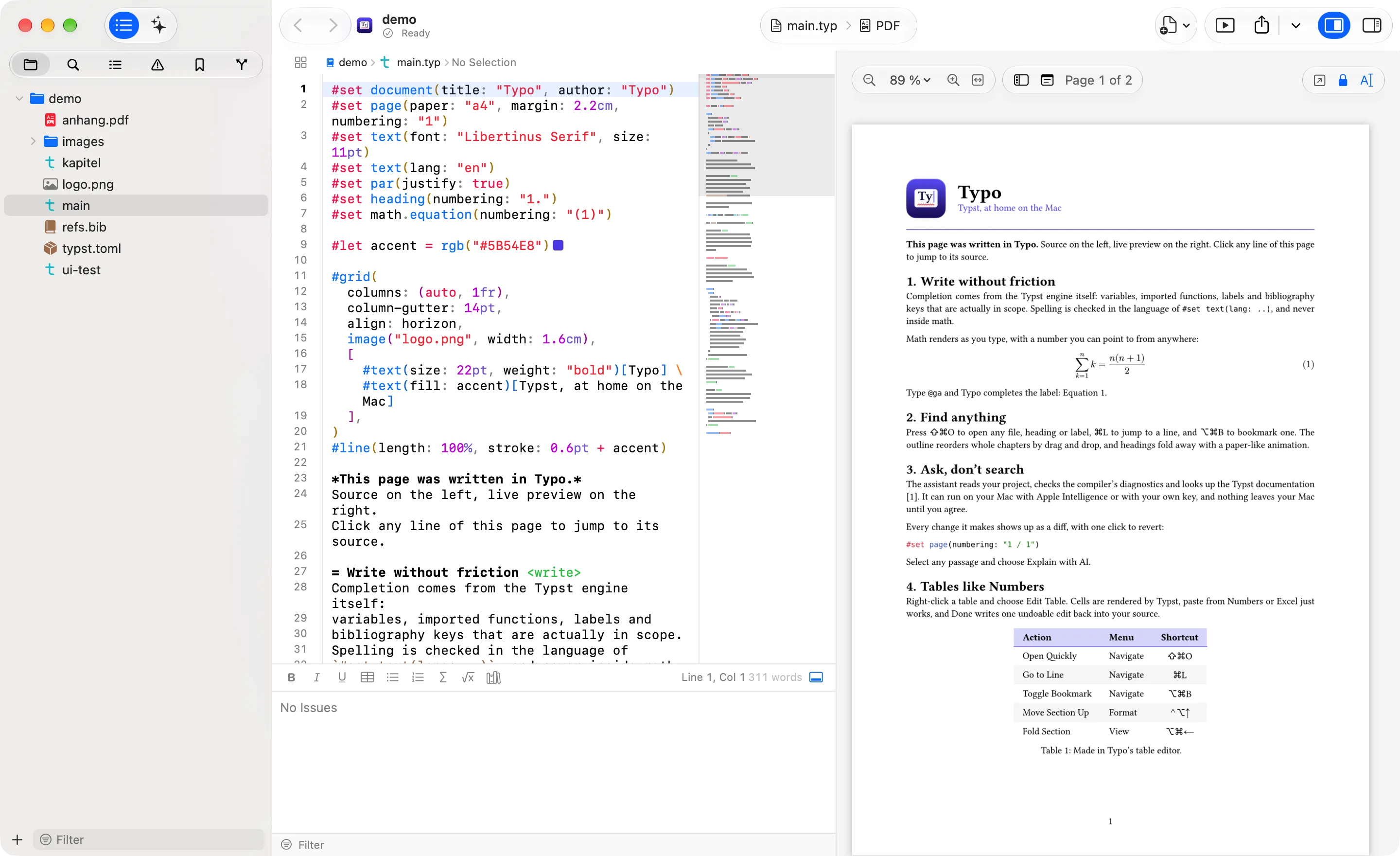
Everything you expect from a real IDE. For your prose.
Completion
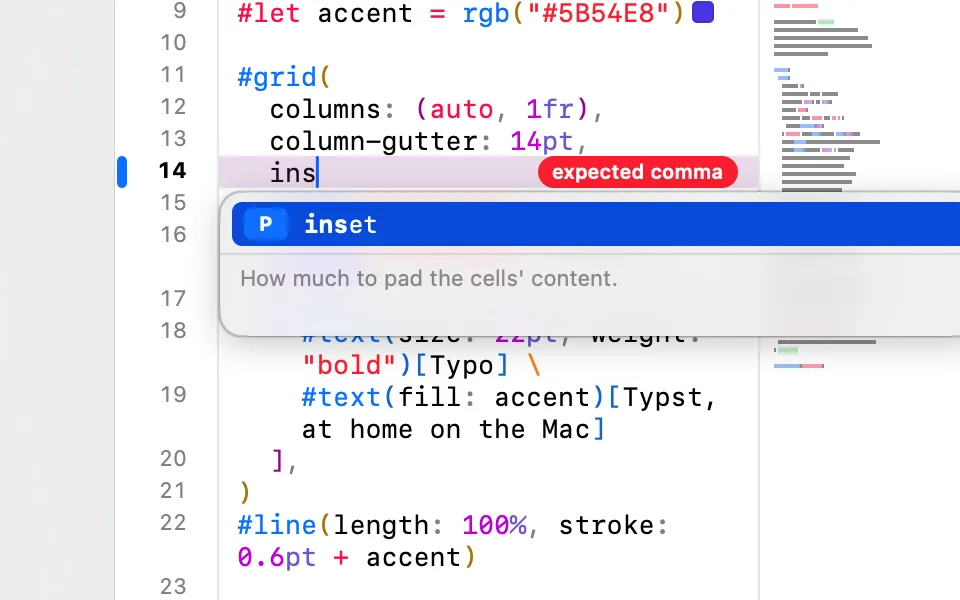
Completion that knows your document.
Scope-aware suggestions straight from the Typst engine: variables, functions from imports, built-ins, and only the labels and bib keys you can actually reach. Diagnostics show inline as you type.
Live preview
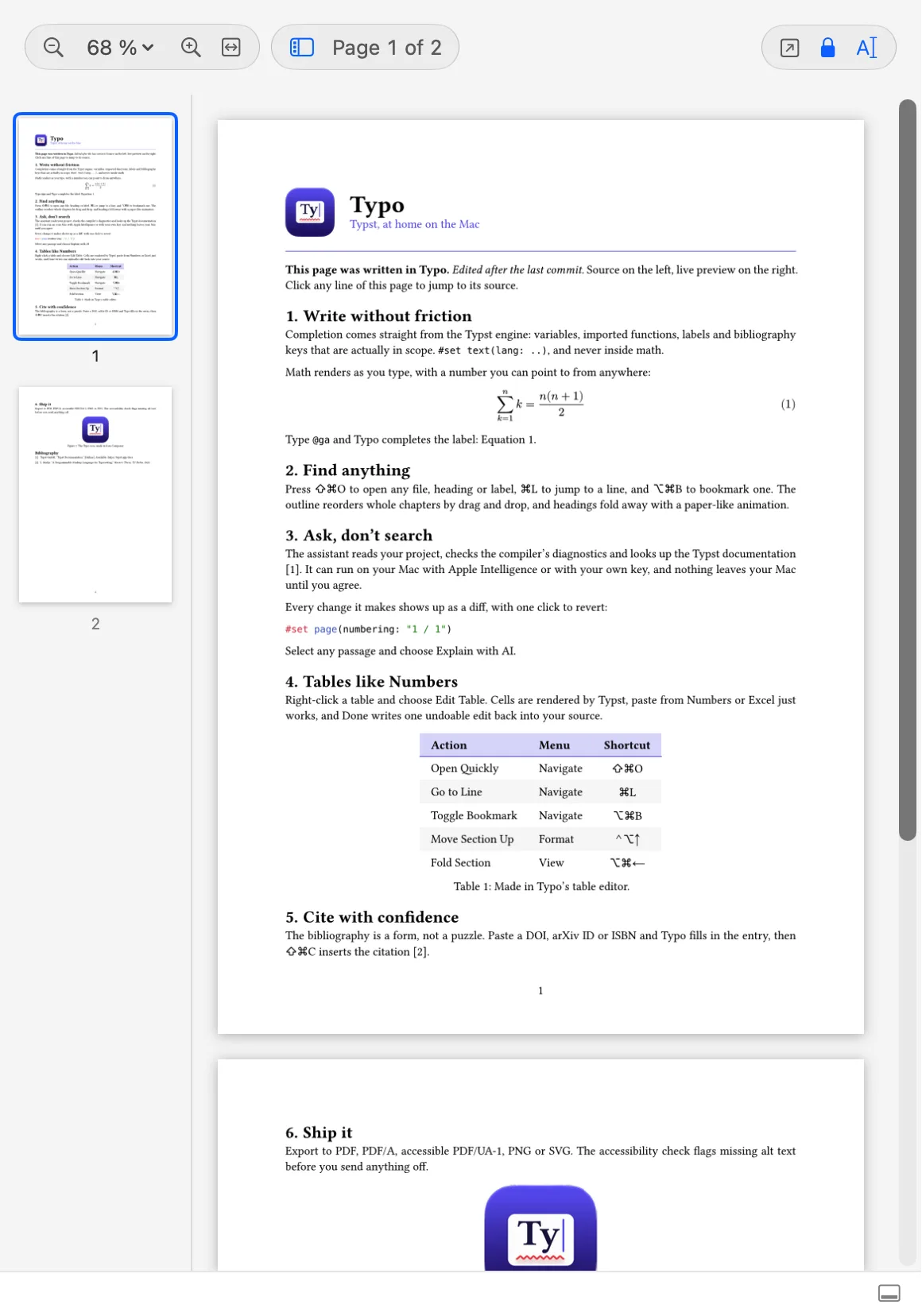
Click the page. Land in the source.
Click anywhere in the preview to jump to the line that made it. Zoom, two-page spreads, page thumbnails and dark pages included. Save a PDF next to your document on every save if you like.
Presenter notes
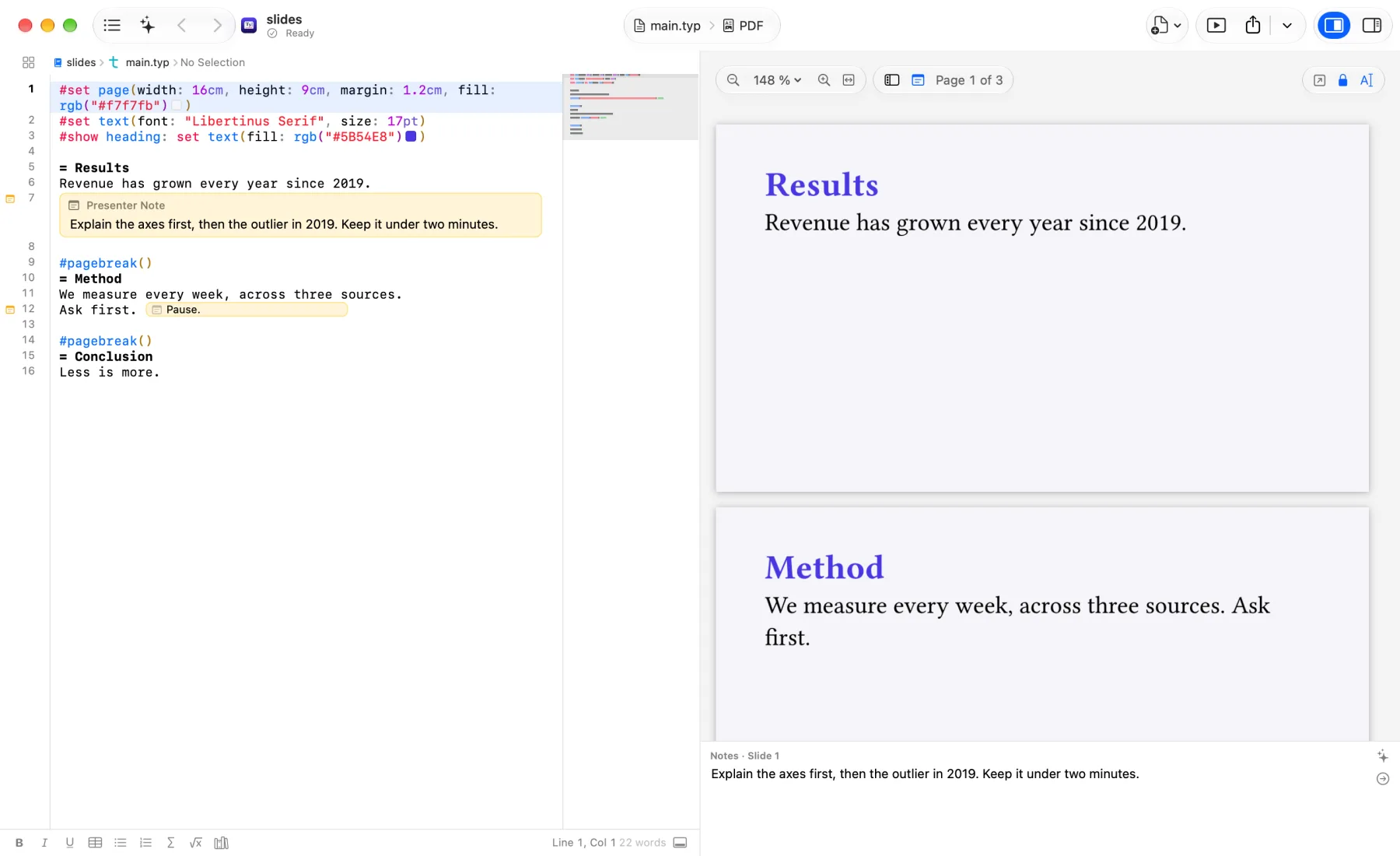
A note for every slide. Right in the source.
Add a note from the context menu or with ⌥⌘P and write it in a small editor in the source. The notes of the visible slide sit under the preview, Touying and Polylux notes included, and one click drafts them with AI.
Presenting
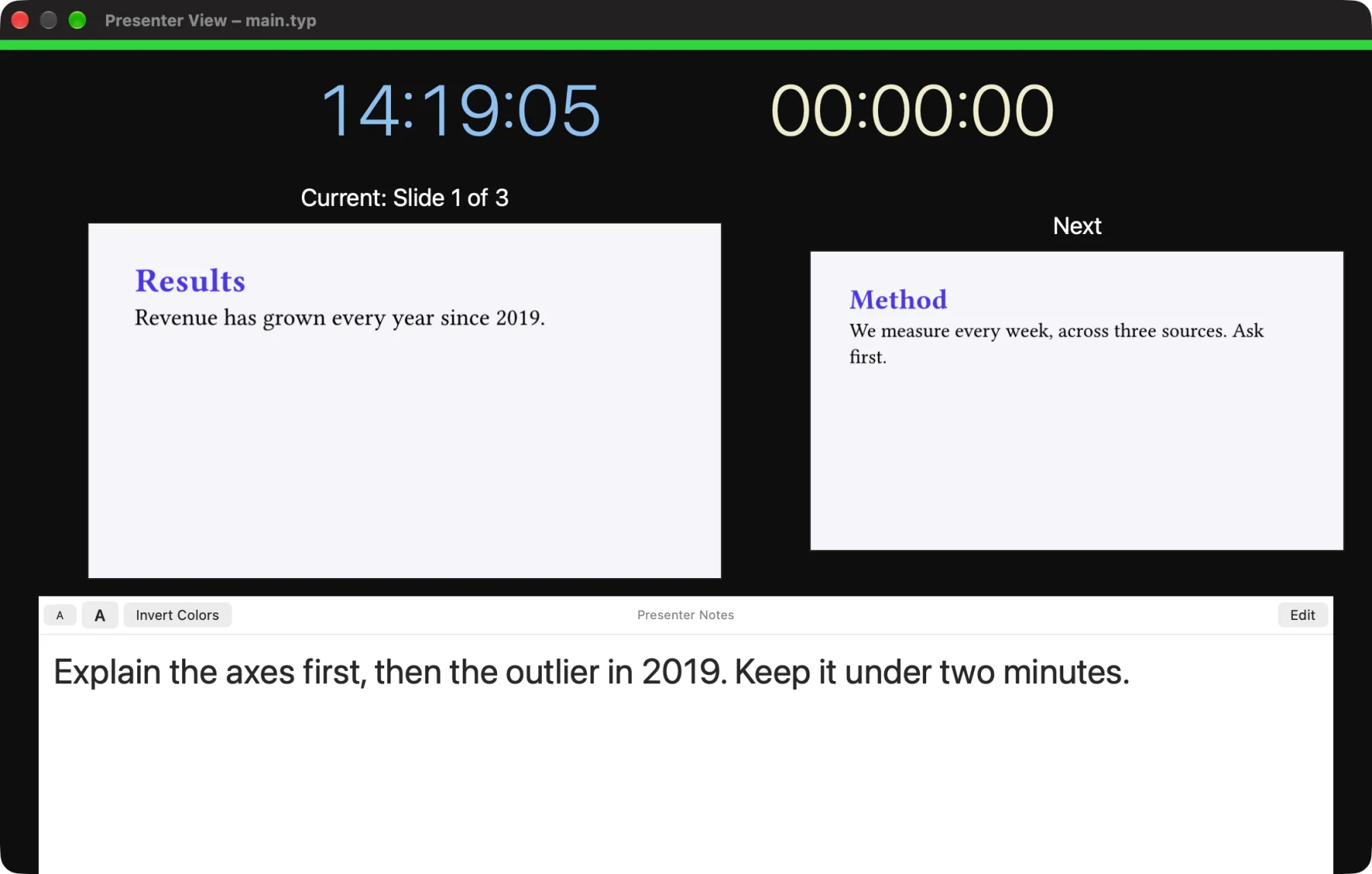
Present like Keynote. Even on your iPad.
With a second display or an iPad over Sidecar, Play puts the slides there and the presenter view on your Mac: current and next slide, your notes, the clock and a timer. X swaps the displays.
Find anything
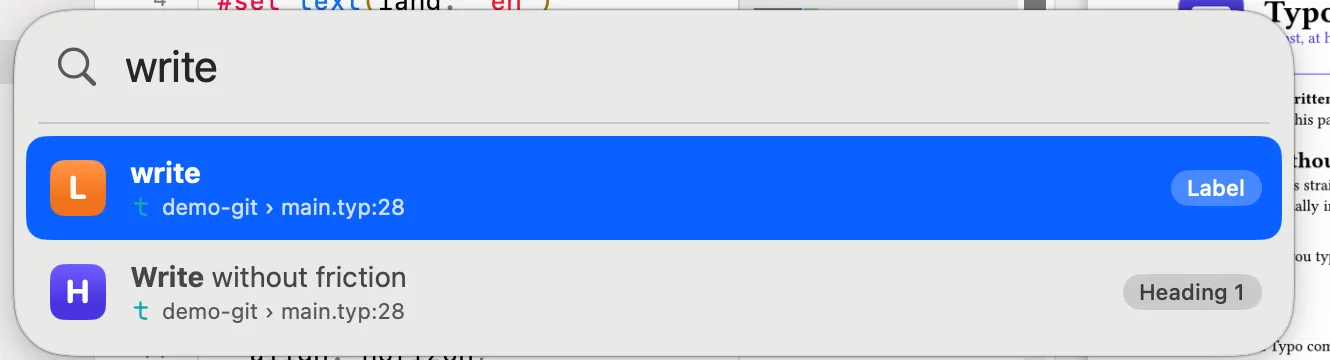
One shortcut. Every file, heading and label.
Open Quickly (⇧⌘O) finds files, headings and labels. Go to Line with ⌘L. Find and replace across the whole project, with regular expressions. Jump to definition, find references and rename a symbol.
History
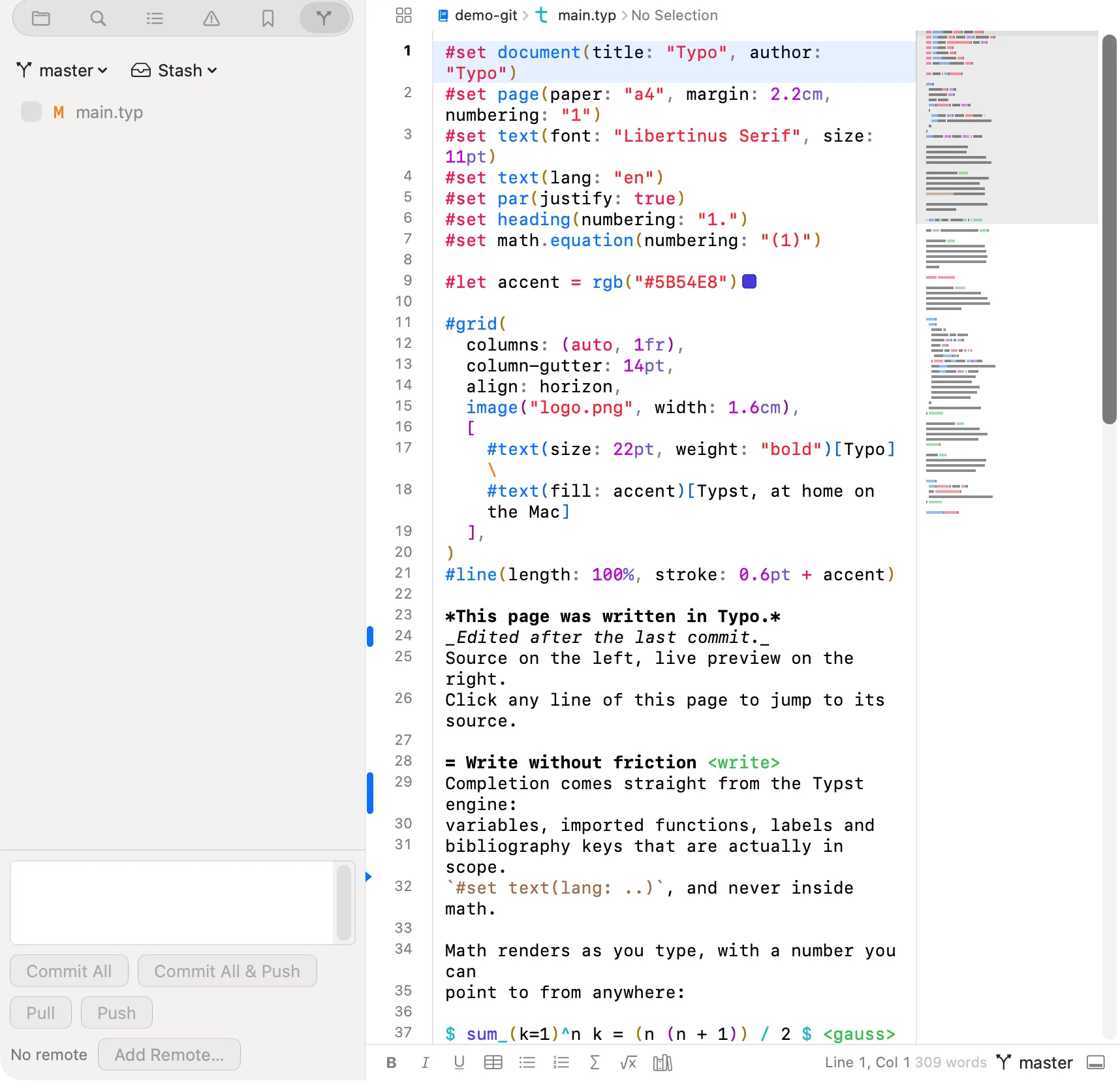
Projects with a memory.
Start from a templates gallery. Snapshots and per-file history, plus a Git gutter with blame, a log and a Changes navigator.
And there is more
The little things, done right.
- Spell check in the language from
#set text(lang:), never inside math - Multi-cursor editing and a Vim mode with an Xcode-style mode capsule
- Colour swatches next to
rgb(…)with a full colour picker - PDF, PDF/A, PDF/UA-1, PNG, SVG and ZIP, with pages chosen like in the print dialog
- Split editor, focus mode, minimap and sticky headings
- Drag or paste an image and it becomes a figure
- Rainbow brackets, inlay hints, snippets and typstyle formatting
- Updates with release notes, one click to install or skip
Table editor
Tables, the way Numbers does them.
Open any table(…) or grid(…) in a visual grid. Every cell is typeset by Typst itself, with your math, your references and your #set rules.
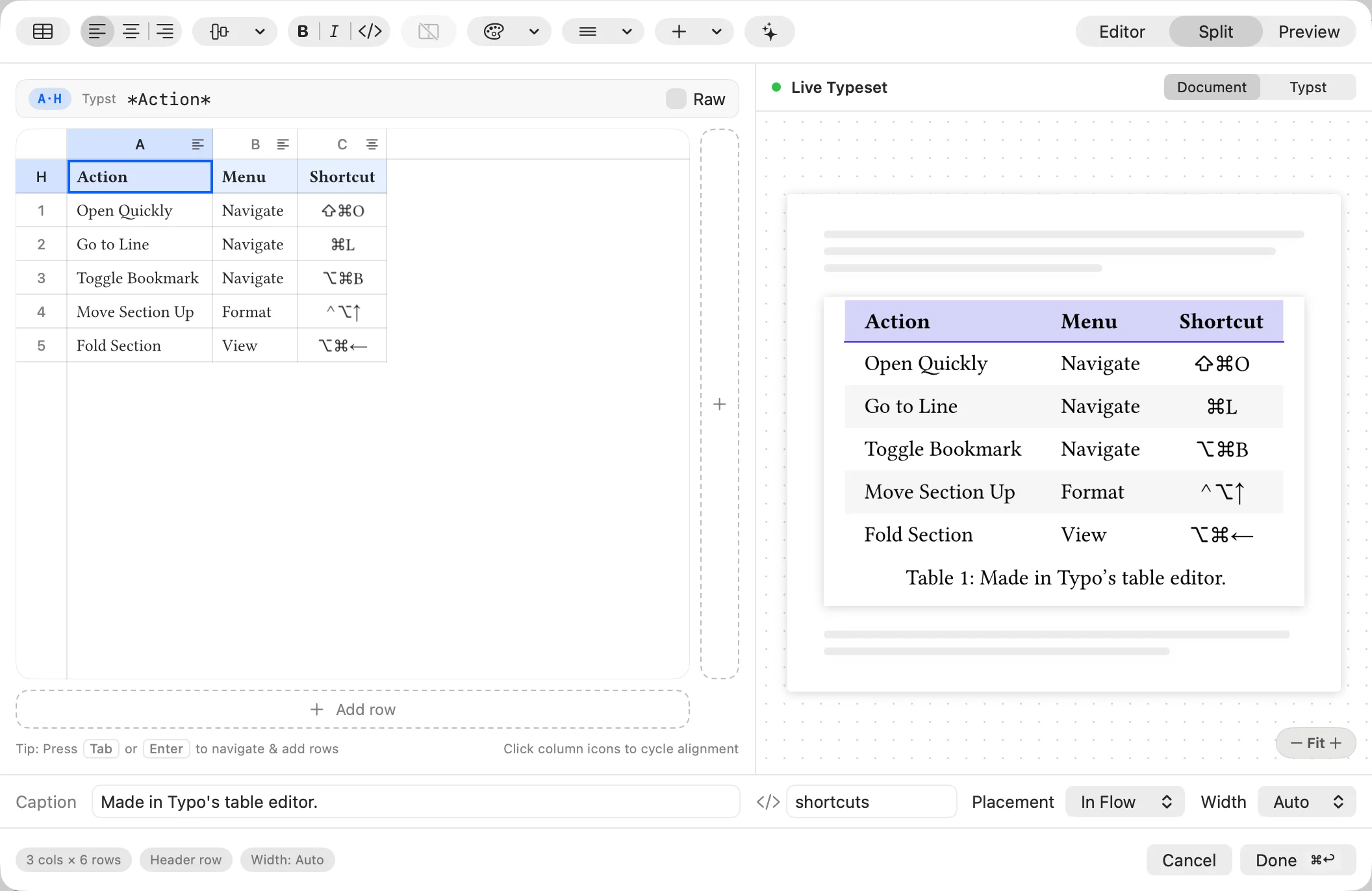
- Arrow keys, Tab, Return, copy and paste like a spreadsheet
- Paste straight from Numbers or Excel, the table grows to fit
- Merge cells, drag rows and columns, resize widths
- Styles: Plain, Grid, Header Line, Booktabs, Striped
- One undoable edit when you press Done
Table Intelligence
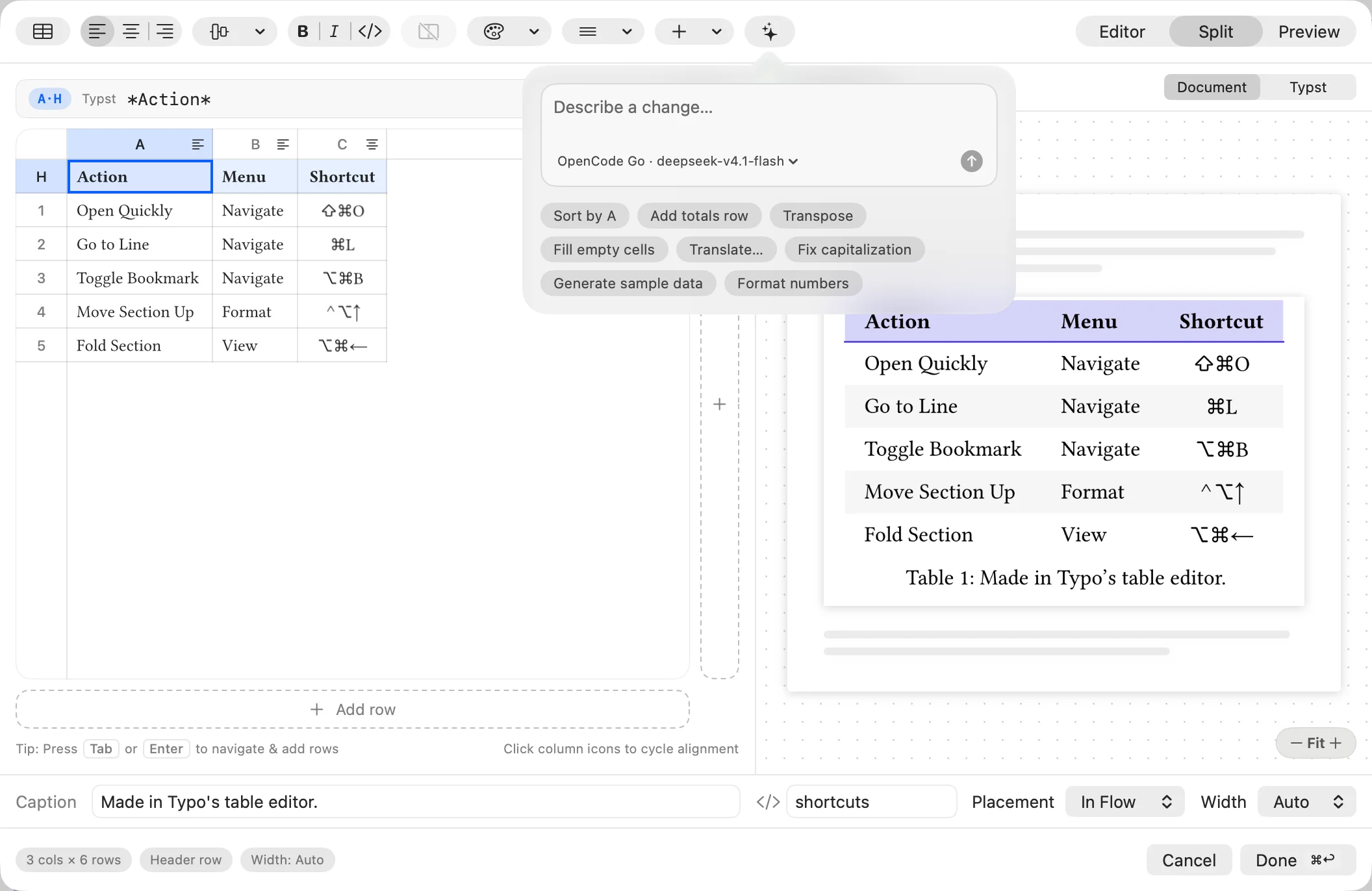
Sort, total, transpose. Just ask.
Describe a change in your own words or tap a suggestion: sort, add a totals row, transpose, fill empty cells, translate, fix capitalisation, format numbers. The result lands as a single undo step with a summary.
Want it dark?
No problem.
Folding
Fold anything. Watch it fold.
Collapse headings, figures, tables, math, code blocks, comments and lists. The animation follows Xcode’s approach: a paper-fold snapshot while the text below reflows every frame, at up to 120 Hz. Move sections up and down, or drag them in the outline, even into another file.
Try it: click the ribbon next to the line numbers.
Assistant, optional
An assistant that asks first.
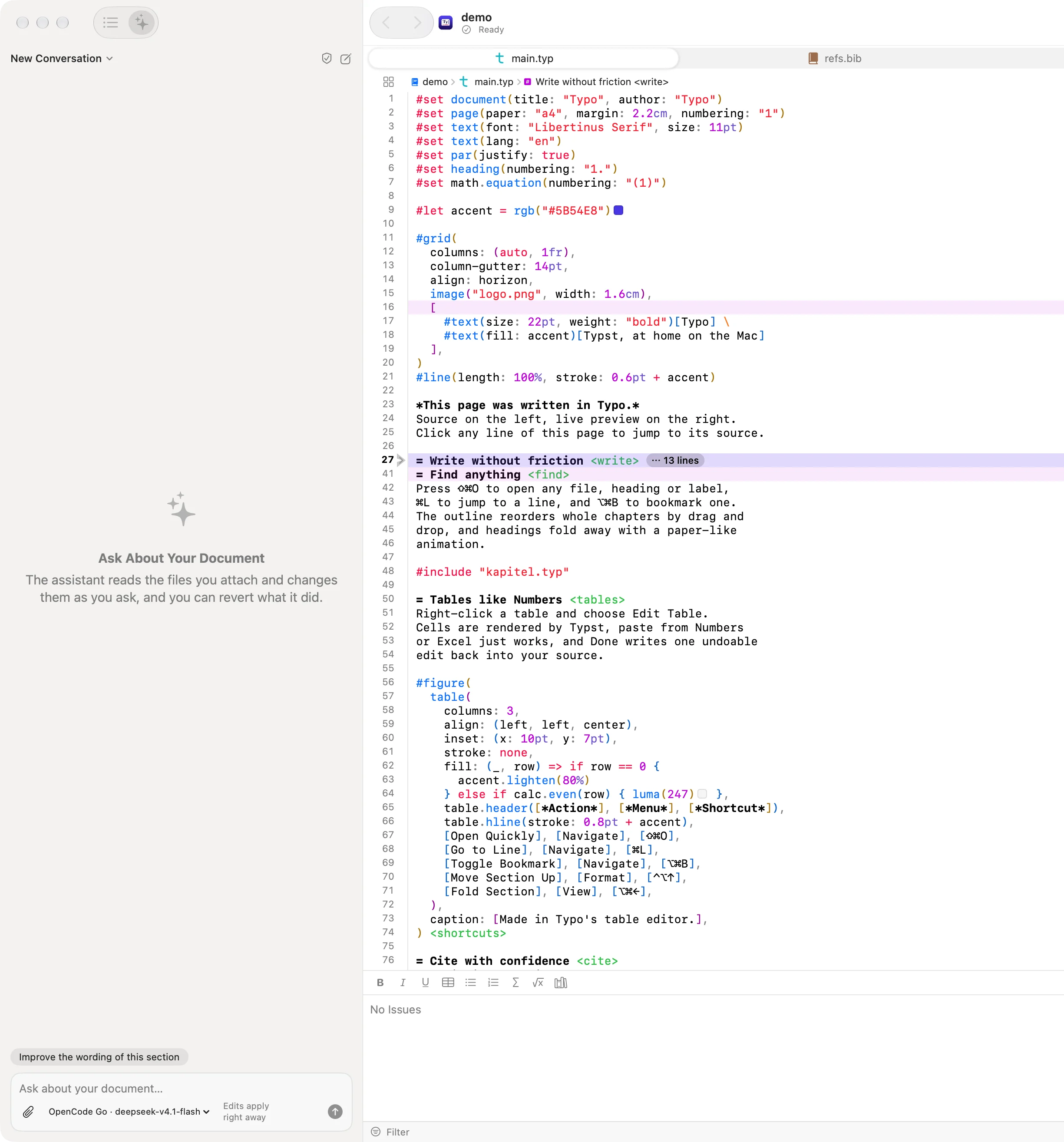
Run it on-device with Apple Intelligence, or bring your own key for OpenRouter, OpenCode and other OpenAI- or Anthropic-compatible providers.
Type / for workflows. /check compiles and looks at every page, /submit is a checklist before you hand in, /consistency settles on one spelling for every term. Write your own. They work with any model.
- Nothing is sent until you agree to a provider
- API keys live only in your Keychain
- You decide what it may do: edit files, read the project, view the preview
- Changes apply right away, with an inline diff and a revert bar
Agents and MCP
Your agent, inside Typo.
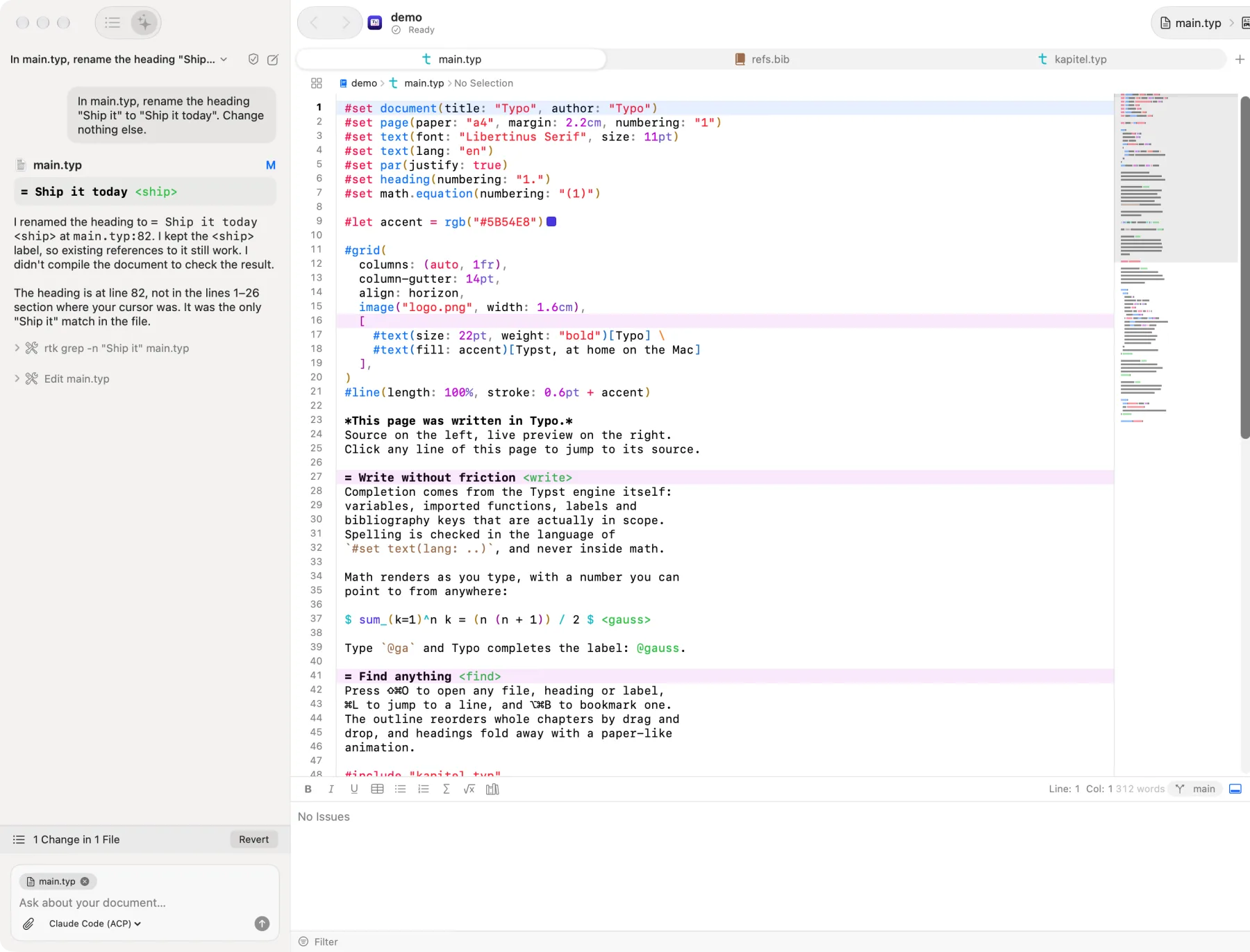
Run Claude Code, Codex, Gemini CLI, Goose or OpenCode right in the sidebar through the Agent Client Protocol. The agent works in your project folder with your own login, and every change shows up in the editor with a revert bar.
Going the other way, typo-mcp gives any MCP client Typo’s Typst tools. One click adds it to Claude Code or Claude Desktop.
- Compile and read the errors
- See a page of the preview as an image
- Search the Typst reference instead of guessing
- List the packages and fonts the project can use
Bibliography and packages
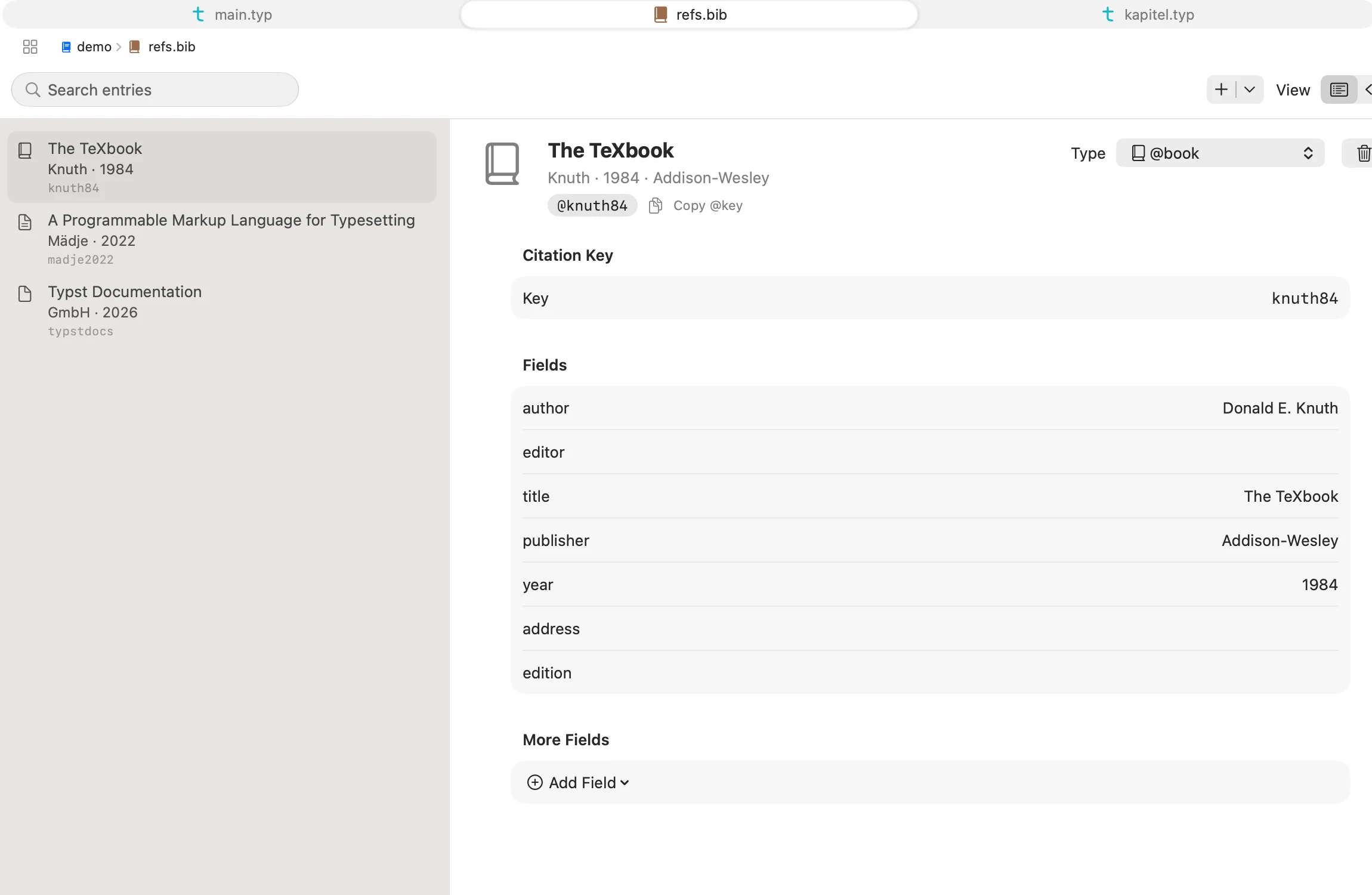
Citations without the curly braces.
Edit .bib files in a real form, with required-field checks. Insert a citation with ⇧⌘C. Browse Typst Universe, keep local packages, and work offline with a cached package index.
Add Reference looks up a DOI, arXiv ID or ISBN. Zotero sync fills a .bib from your Zotero library and keeps it in sync.
Make it yours
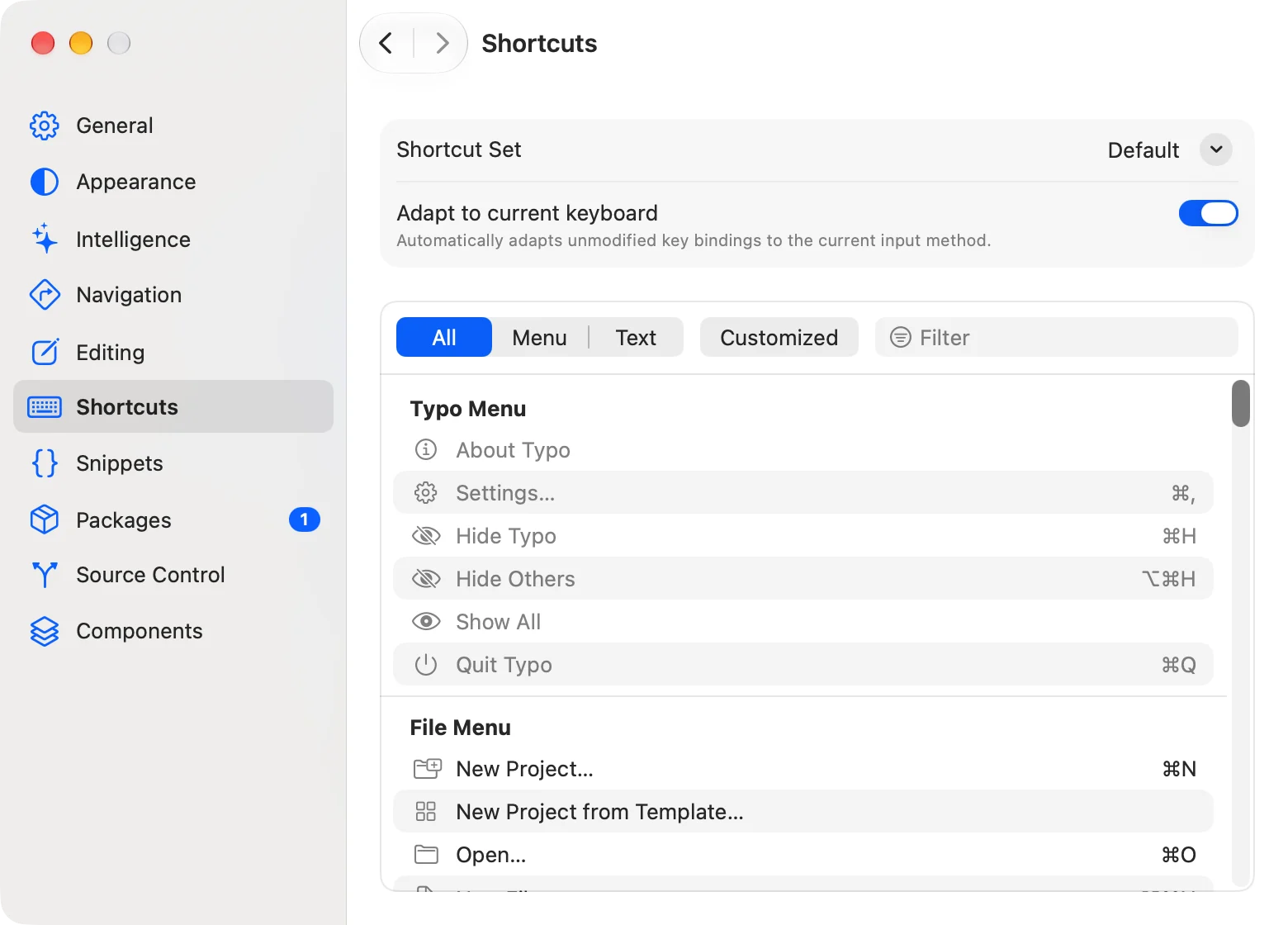
Settings that feel like Xcode. Because they should.
Themes, fonts, cursor styles and light or dark. Shortcut sets you can duplicate and rename, conflict filters, and record a new binding with a double-click. Export your settings and take them along.
Write something beautiful.
Typo is free, and its source is open to read. Grab it, look inside, tell us what your workflow is missing.